
Chiku Beta - App Guide for Friends and Family Members
Contact beta@chiku.live if you have any questions.
Creating your account
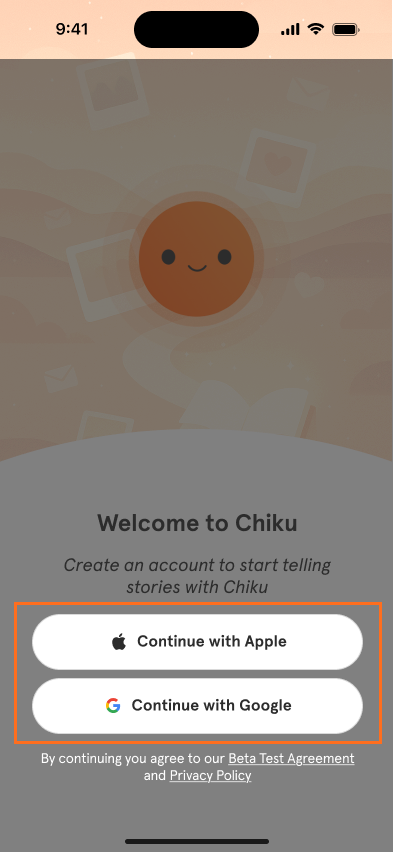
On the welcome screen, sign up easily using your Apple ID or Google account. Make sure to use the same email that you get the invitation from. Just a few taps, and you’re in!
Let’s begin the journey! Tap the app to open Chiku. If you haven’t installed Chiku yet, tap the "Download" button in the email you received or the bottom section of this guide.
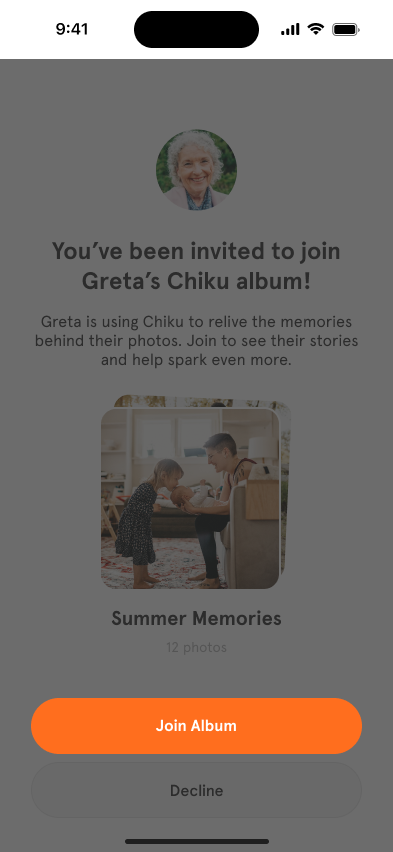
Since you were invited by a loved one, tap “Join Album” to connect with their stories and shared memories.
You’ll see a few quick screens that introduce what Chiku is all about. Feel free to tap “Continue” to explore, or “Skip” if you’re eager to jump in.

Enter your name so your loved ones can recognize you! Then tap “Continue.”

Tap the ( + ) icon to upload a profile photo (or “Skip” for now if you’d rather add it later). It’s always nice to put a face to the name.

Engaging with stories
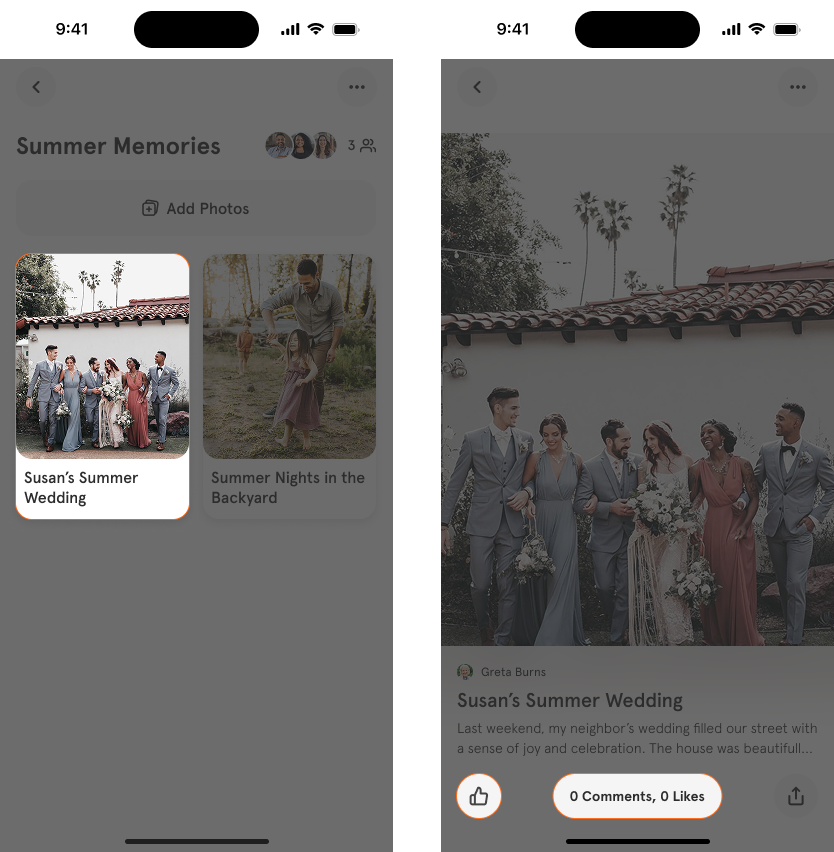
On your homepage, you’ll see albums shared with you. Tap one to explore the stories inside!

Choose a story to read, and join the moment by leaving a like or comment. The storyteller and other members will be notified and can respond!
Check the Activity tab to see what others are up to. Drop a reaction, leave a message, and enjoy the nostalgic ride together

Contributing to the album
Do you have photos that the Chiku User will enjoy reminiscing about? Tap ‘Add Photos’ to share these photos with them.

These photos will be visible in the album, and the Storyteller can later create a story from them by chatting with Chiku. It’s a lovely way to create memories for generations to come!
Chiku is currently available on iOS. You can install it on your iPhone or iPad.